AI Features Are Here! Discover why teams choose Emailgistics AI  

Shared inbox tools for Microsoft 365

How Emailgistics compares

Help desks, shared inbox apps and Microsoft 365 on its own each solve part of the problem. See how Emailgistics compares with each one, side by side.

  • 10,000+

    people use Emailgistics

  • 400+

    organizations rely on it

  • 4.7/5

    rating on G2

  • < 1 hour

    to go live, no migration

How is Emailgistics different from a help desk?

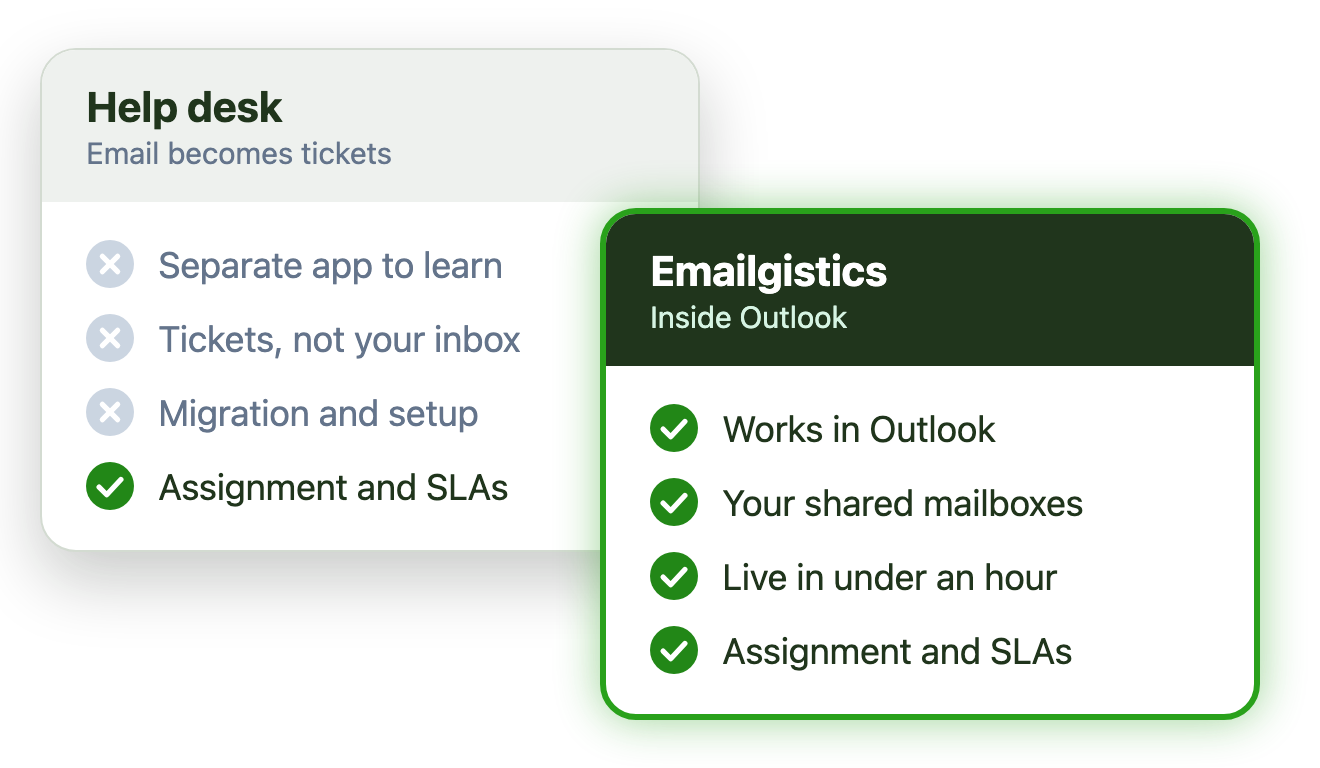
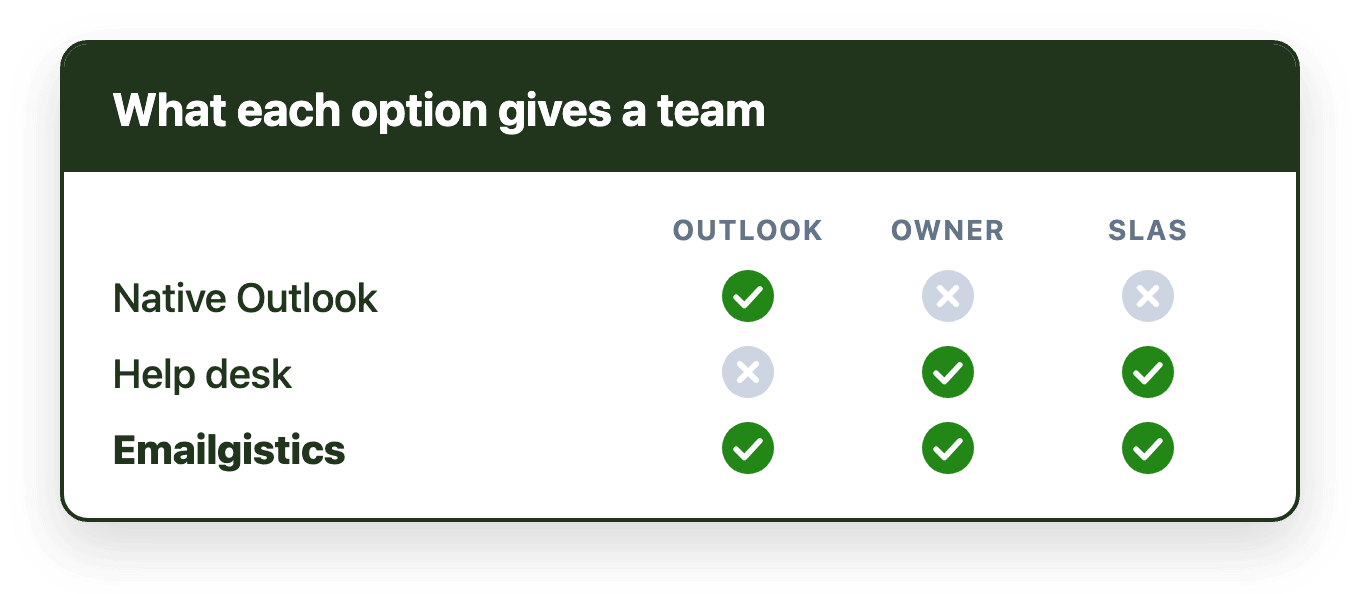
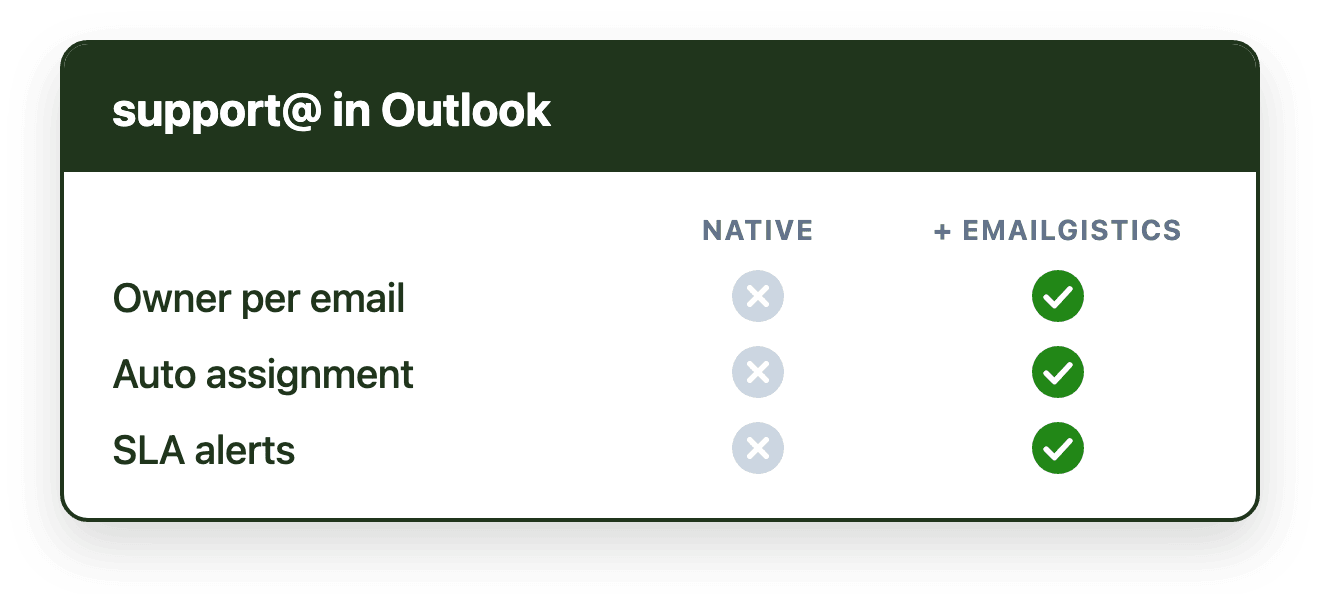
Emailgistics is a shared inbox for Microsoft 365 that works inside Outlook. Help desks and shared inbox apps move your team into a separate tool, and Outlook on its own has no owner for each email. Emailgistics gives every shared mailbox email one owner, tracks SLAs and reports on performance, on the mailboxes you already have.

Emailgistics and the alternatives at a glance

Option Where your team works Who owns each email Getting started
Help desks and ticketing systems A separate help desk appThe ticket’s assigneeMigrate workflows and train the team
Shared inbox and collaboration apps The app’s own inbox or add-onThe assignee in the appConnect mailboxes and learn a new app
Microsoft 365 on its own OutlookNo one, unless sorted by handBuilt in; automation means building flows
Emailgistics Inside OutlookOne owner per email, assigned automaticallyLive in under an hour, no migration

Every Emailgistics comparison

Grouped by the kind of tool you are weighing up. Each comparison covers features, setup and when the alternative is the better fit.

Help desks and ticketing systems

Help desks turn email into tickets in a separate app. Emailgistics keeps the email in Outlook and adds the ownership and SLA tracking teams wanted a help desk for.

  • In-depth guide

    Shared mailbox vs help desk

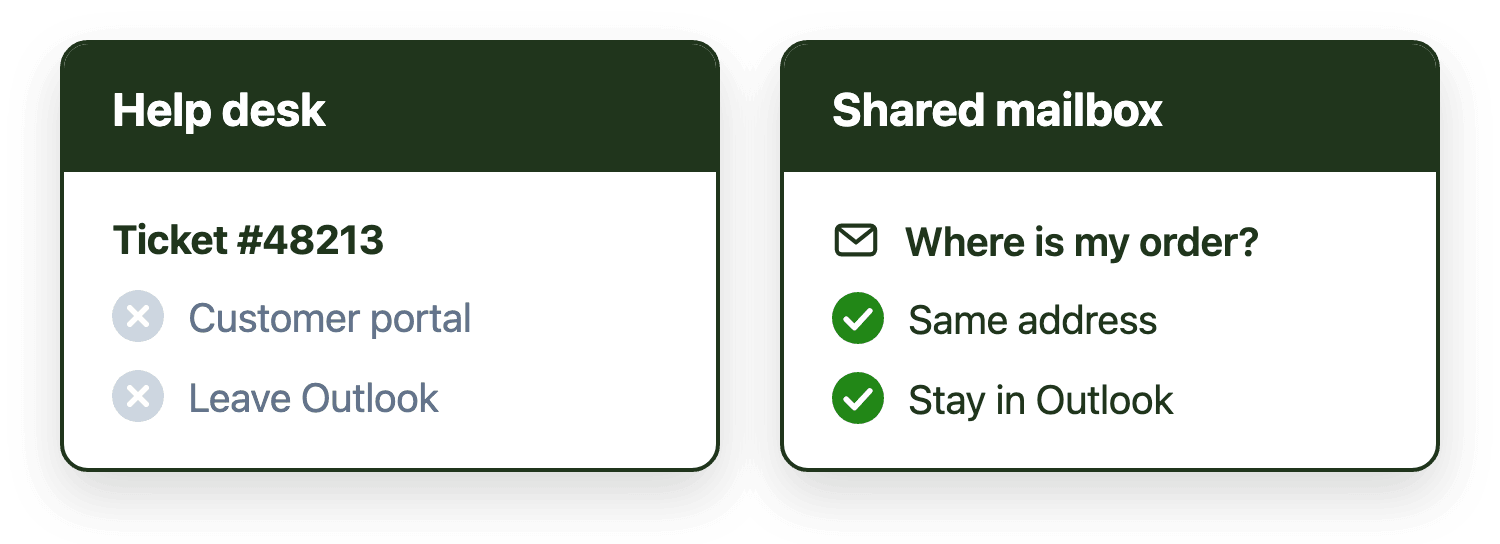
    Help desks manage tickets in a separate workspace, while shared mailbox management keeps messages in Outlook and adds ownership, routing and response time visibility. For Outlook-native teams, an Outlook-based alternative usually fits better than a help desk.

    Read the guide
  • Emailgistics vs

    Zendesk

    Zendesk routes email into tickets. Emailgistics manages shared inboxes directly in Outlook with SLAs, reporting, and AI.

    Read the comparison
  • Emailgistics vs

    Freshdesk

    Freshdesk converts email into tickets in its own help desk. Emailgistics keeps teams in Outlook with assignment, SLAs, reporting, and AI.

    Read the comparison
  • Emailgistics vs

    Help Scout

    Help Scout converts email into tickets. Emailgistics keeps teams working in Outlook with ownership, SLAs, reporting, and AI.

    Read the comparison
  • Emailgistics vs

    Zoho Desk

    Zoho Desk converts email into tickets. Emailgistics keeps teams in Outlook with assignment, SLAs, reporting, and AI.

    Read the comparison
  • Emailgistics vs

    Jira

    Jira routes email into IT workflows. Emailgistics supports inbox-driven teams with Outlook-native assignment and SLAs.

    Read the comparison
  • Emailgistics vs

    Intercom

    Intercom focuses on chat and messaging. Emailgistics manages shared inbox email in Outlook with ownership and reporting.

    Read the comparison
  • Emailgistics vs

    HubSpot

    HubSpot embeds email in a CRM. Emailgistics manages shared mailboxes in Outlook without CRM complexity or overhead.

    Read the comparison

Shared inbox and email collaboration apps

These tools give teams their own inbox app or add-on. Emailgistics works inside Outlook on the Microsoft 365 shared mailboxes you already have.

  • In-depth guide

    Best team email software in 2026

    There is no single best team email management software in 2026. Emailgistics fits Microsoft 365 teams that want to stay in Outlook, help desks like Zendesk suit multi-channel support, and Hiver or Gmelius serve Gmail teams.

    Read the guide

  • Emailgistics vs

    Front

    Front replaces Outlook with a shared inbox. Emailgistics enhances Outlook with assignment, SLAs, analytics, and AI-enhanced replies.

    Read the comparison
  • Emailgistics vs

    Hiver

    Hiver started in Gmail and connects Outlook through a separate app. Emailgistics works inside Outlook, built for Microsoft 365.

    Read the comparison
  • Emailgistics vs

    Missive

    Missive uses a separate collaboration inbox. Emailgistics keeps shared mailbox workflows inside Outlook with visibility and control.

    Read the comparison
  • Emailgistics vs

    Gmelius

    Gmelius is built around Gmail and Google Workspace. Emailgistics works inside Outlook, built for Microsoft 365 shared mailboxes.

    Read the comparison
  • Emailgistics vs

    DragApp

    DragApp turns email into tasks. Emailgistics manages shared inboxes in Outlook without boards or task workflows.

    Read the comparison

What Microsoft 365 does on its own

Shared mailboxes, rules, forwarding and Power Automate move email around. Emailgistics adds an owner for every email, SLA alerts and reporting on top.

AI assistants

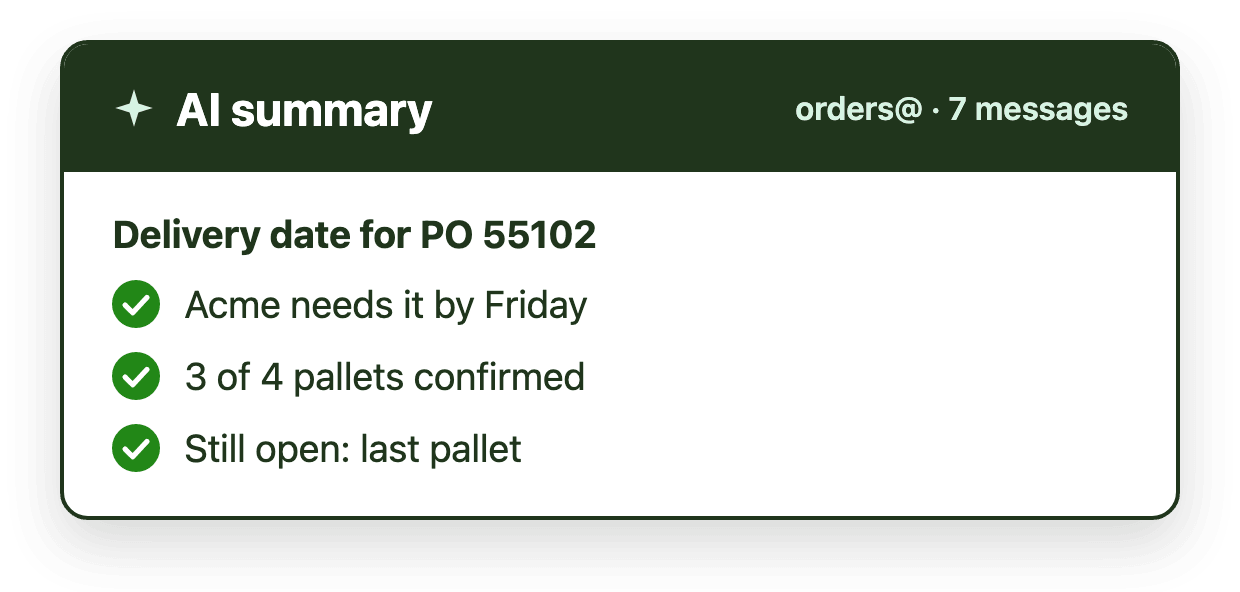
Copilot helps one person with their own email. Emailgistics AI summarizes threads and suggests replies from your documents, for the whole team in a shared mailbox.

  • In-depth guide

    Emailgistics AI vs Microsoft Copilot

    Microsoft Copilot is a general-purpose Microsoft 365 assistant built for individual productivity. Emailgistics AI applies summaries and suggested replies inside a shared mailbox workflow layer with assignment, SLA tracking and routing.

    Read the guide

  • Emailgistics AI vs

    Microsoft Copilot

    Copilot helps individuals. Emailgistics AI is built for M365 shared mailboxes with team replies, SLAs, analytics, and accountability.

    Read the comparison

Trusted by 10,000+ users at 400+ organizations

ADP (Architectural Design Products)ASSA ABLOYCapstone Green EnergyCanadian TireClarion Medical TechnologiesCBW TA AMCOEMAAR PropertiesTDFlight CentreFlutter InternationalMayo ClinicOntario HealthMcNaughton McKayMcKesson CanadaTrend MicroSpecsavers AudiologyUniFirst CorpUCLAUnion PacificAllianz PartnersBain CapitalNetAppTQL (Total Quality Logistics)

No. Emailgistics is a shared inbox that works inside Outlook. It adds what teams often buy a help desk for, such as automatic assignment, SLA alerts and reporting, without turning email into tickets or moving the team into a separate app.

Emailgistics vs help desks

For teams that work from Microsoft 365 shared mailboxes, Emailgistics keeps the work in Outlook while adding automatic assignment, SLA tracking and reporting. Customers keep emailing the same address, and the team keeps the inbox it already knows.

Emailgistics vs Zendesk

Front gives teams its own inbox app, and Hiver started in Gmail and connects to Outlook through a separate app. Emailgistics is built for Microsoft 365 and works inside Outlook on your existing shared mailboxes.

Emailgistics vs Front

Emailgistics vs Hiver

A shared mailbox gives a team access to the same email, but not an owner for each message, reply-time targets or reporting. Teams fill the gaps with flags, categories and folders, which is where emails get missed or answered twice.

Emailgistics vs a shared mailbox alone

Not for shared mailbox workflows. Emailgistics rules tag, route and assign email without building or maintaining flows, and add SLA alerts and reporting that Power Automate does not provide on its own.

Emailgistics vs Power Automate

Copilot helps one person with their own email and documents. Emailgistics AI works on shared mailbox email for the whole team: it summarizes long threads and suggests replies from your company’s documents, which a team member reviews before sending.

Emailgistics AI vs Copilot

Most teams are live in under an hour, with no migration. Emailgistics connects to the Microsoft 365 shared mailboxes you already have, so customers keep emailing the same address and nothing moves. You can try it free for 14 days.

See how setup works

Last updated