This guide is for managers of Microsoft 365 shared mailboxes such as support@, sales@ or info@ who need to hit response targets consistently. It explains how shared mailbox SLAs break down, the warning signs that show up in the weeks before breaches cluster, and the structural practices that prevent them: clear ownership on arrival, visible wait times, balanced workloads and prompt alerts when an email waits too long.
Introduction
Email remains one of the most critical channels for customer-facing teams. Support requests, service questions, sales inquiries and operational issues frequently arrive through shared inboxes. When responses are slow or inconsistent, the impact is immediate: customer frustration increases, opportunities are delayed and internal escalation becomes routine.
Service-level agreements are meant to prevent that instability. They are often treated as firm commitments: respond within a defined window, acknowledge receipt promptly, or meet a measurable response threshold. In shared mailbox environments, however, SLA failure rarely happens abruptly. Performance erodes gradually. Teams may believe they are meeting expectations until complaints increase, escalations become frequent, or reporting reveals inconsistencies that were not visible in daily operations.
In Microsoft 365 shared mailboxes, SLA breakdown is seldom caused by lack of effort. Teams usually respond quickly when issues are visible. The real problem is that shared inbox workflows conceal the warning signs. By the time an SLA breach is formally recorded, the underlying structural weakness has often existed for weeks. Avoiding breaches is less about pushing people to respond faster and more about removing that structural friction.
What SLA compliance and SLA failure mean in a shared mailbox
SLA compliance in a shared mailbox means consistently meeting defined response expectations across the team, not just in isolated cases.
For email-based workflows, SLAs most commonly focus on first-response time. In some environments, resolution time and follow-up cadence also matter. These metrics directly influence customer perception. A delayed first response can escalate a routine issue into a complaint. A missed resolution deadline can stall a deal or erode trust. In regulated or high-stakes industries, SLA failures can also create compliance exposure: what appears operational internally may carry contractual or regulatory implications externally.
SLA failure, by contrast, occurs when response expectations are not met consistently because of workflow breakdown rather than isolated oversight. In shared environments, failure rarely looks like total inactivity. It appears as variability. Some messages are handled quickly, others age unexpectedly. Backlog forms quietly. Ownership is delayed. Performance becomes unpredictable even if headline metrics still look acceptable.
SLA failure, in other words, is usually systemic before it is visible. As email volume grows, SLA compliance shifts from an individual responsibility to a systems challenge.
Why shared mailbox SLAs are structurally fragile
Shared mailboxes centralize communication, but centralization without structure introduces ambiguity that individual inboxes do not have.
Responsibility is distributed across multiple people. Unless ownership is made explicit, no single person is clearly accountable for starting work. Messages may be read but never claimed, and that ambiguity adds delay before work even begins.
Prioritization is subjective. Without visible wait times, team members respond to what feels urgent, recent or most visible rather than what has waited longest. New messages push older ones down the inbox view, masking how long those older messages have been waiting.
Visibility is fragmented. Folders, flags and personal views divide the inbox into partial perspectives. Managers often lack a consolidated view of backlog or of which emails have been waiting longest.
Manual tracking adds fragility. Flags, color categories and spreadsheets rely on consistent human behavior, and they break down under pressure. Without historical data, recurring bottlenecks stay hidden.
Native Outlook tools provide access and organization, but they do not provide time awareness or coordinated ownership. SLA performance therefore depends on vigilance rather than design. At low volume, this may be manageable. When volume increases or staffing fluctuates, small coordination gaps become measurable delays, and breaches become statistically inevitable.
How shared mailbox SLAs break in practice
SLA deterioration typically follows a recognizable progression.
Response times begin to drift upward gradually. Busy periods normalize slower handling without triggering alarm.
Similar messages receive different response times depending on who notices them first.
Unassigned or partially reviewed messages accumulate in the background. They are no longer new, but they are not resolved either.
Escalations become the primary detection mechanism. By the time a customer follows up, the SLA has already failed.
These patterns show that SLA breakdown is rarely sudden. It develops through delayed ownership, inconsistent prioritization and hidden backlog growth.
Why SLA problems are noticed too late
Many teams look at SLAs only at the point of breach.
When measurement focuses solely on whether targets were met or missed, the structural causes stay invisible. Averages can appear healthy even while a subset of messages consistently waits too long. Performance appears stable until breaches start to cluster.
Most teams also measure response time but ignore time to ownership. Yet a delay in ownership is often the first sign that a response delay will follow. If responsibility is not established quickly, the SLA is already in trouble.
By the time a breach appears in reporting, the structural cause has often been active for some time.
Warning signs to watch before breaches cluster
Spotting trouble sooner means paying attention to patterns of structural strain, not just to individual breach events.
Time to ownership. When messages sit in the inbox without clear responsibility, they are far more likely to age into breach. How quickly ownership is established often says more about future SLA performance than response-time averages.
Spread of wait times. Look at the gap between the fastest and slowest responses, not only the average. If that spread widens, inconsistency is increasing. Variability, not averages, is what ultimately destabilizes SLA reliability.
Backlog that carries over. When unresolved messages carry forward day after day, even if overall metrics look acceptable, the system is under strain. Persistent backlog often signals an imbalance in workload, unclear routing or fragmented visibility.
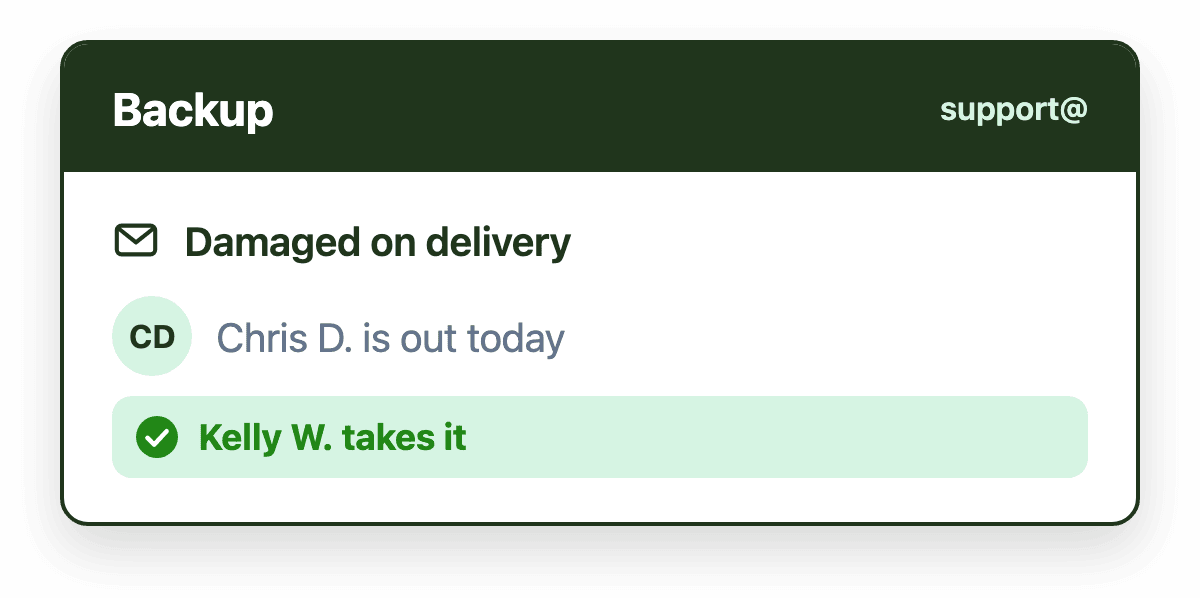
Workload concentration. If SLA performance depends disproportionately on a few highly attentive individuals, the system is fragile. When those people are unavailable, response time variance increases.
Watching these signs is not about increasing scrutiny. It is about recognizing the patterns that reveal structural weakness so you can fix the workflow, rather than waiting for breaches to pile up.
Tactics that prevent SLA breaches
Preventing SLA failure is not primarily a monitoring exercise. It is a workflow design exercise.
Establish ownership immediately
The fastest way to reduce SLA breaches is to make sure every message has a clear owner as soon as it arrives. Ownership removes ambiguity and shortens the time between receipt and action. Even if collaboration happens later, accountability begins with a single, visible assignee.
Keep work in one shared view
Queue-based visibility keeps unresolved work in a shared, centralized view. Instead of relying on folders or memory, teams see all outstanding work in one place, which reduces hidden backlog and fragmentation.
Make time visible
Teams cannot prioritize effectively without seeing how long messages have been waiting. When wait times are visible, urgency is no longer subjective: teams work on the emails that have waited longest rather than the ones that arrived most recently.
Balance workload
When a small subset of team members handles most of the inbox activity, response time becomes volatile. Load balancing stabilizes throughput and prevents the backlog concentration that leads to clusters of breaches.
Alert managers when email waits too long
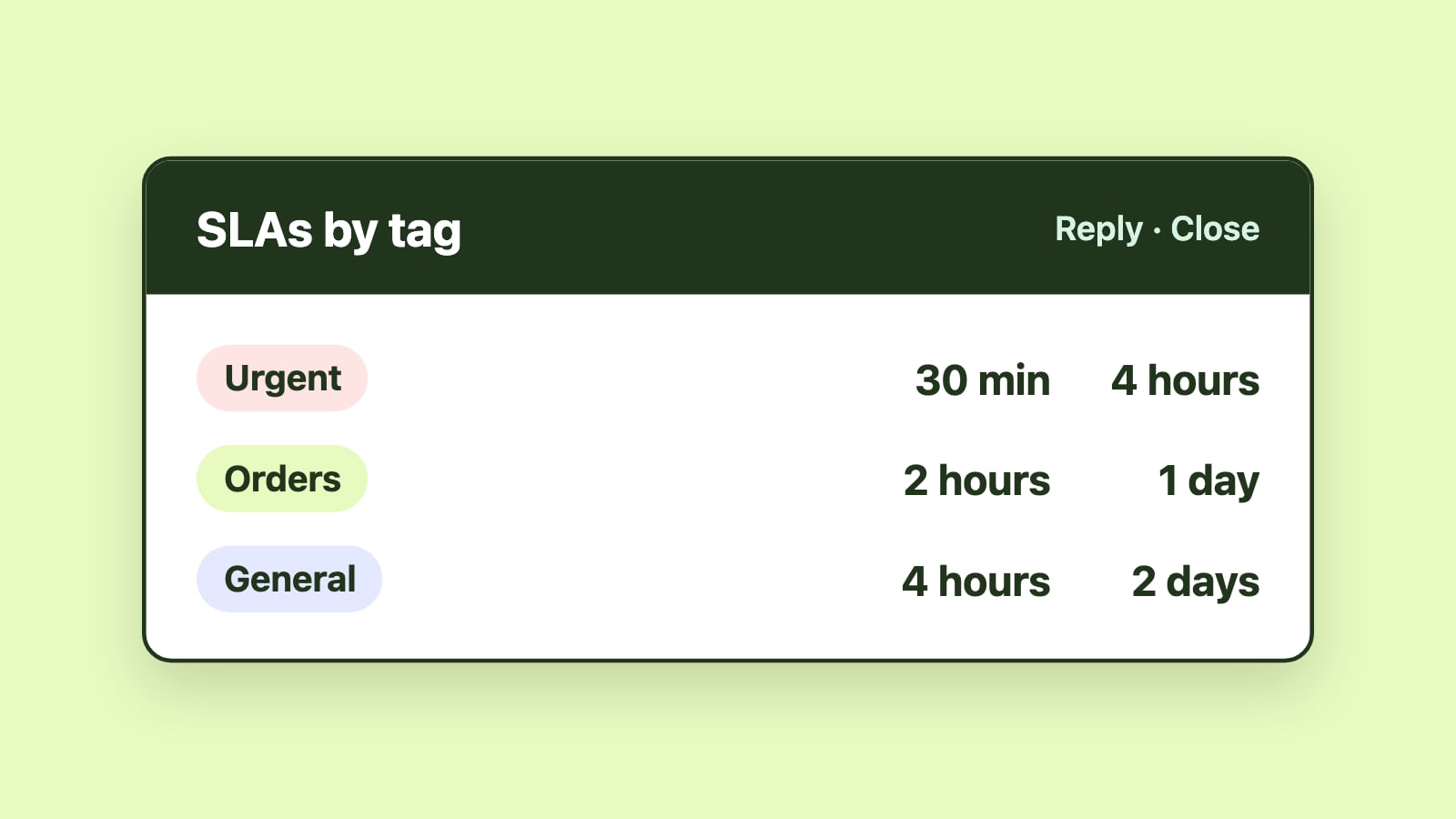
SLA breaches are easier to contain when someone knows about them right away. Alerts that notify a manager as soon as an email has waited longer than the target let the team step in quickly rather than discover the problem in a later report.
Review trends, not just breaches
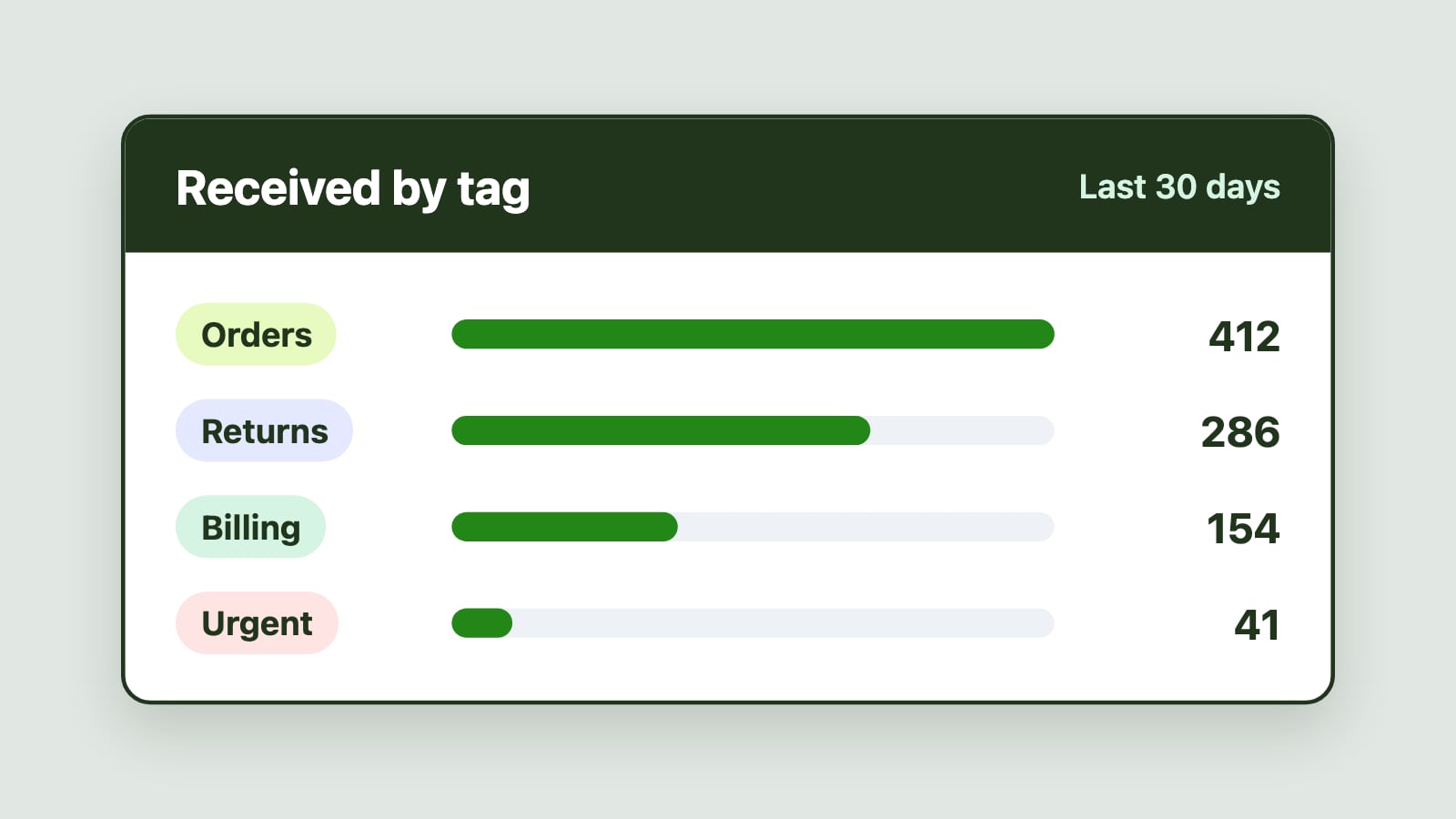
Breach counts alone are not enough. Reviewing patterns in ownership delay, backlog growth and the spread of wait times reveals structural issues that individual breaches do not.
When ownership, visibility, time awareness and workload balance work together, SLA performance becomes predictable rather than reactive.
Why tools matter in SLA-driven teams
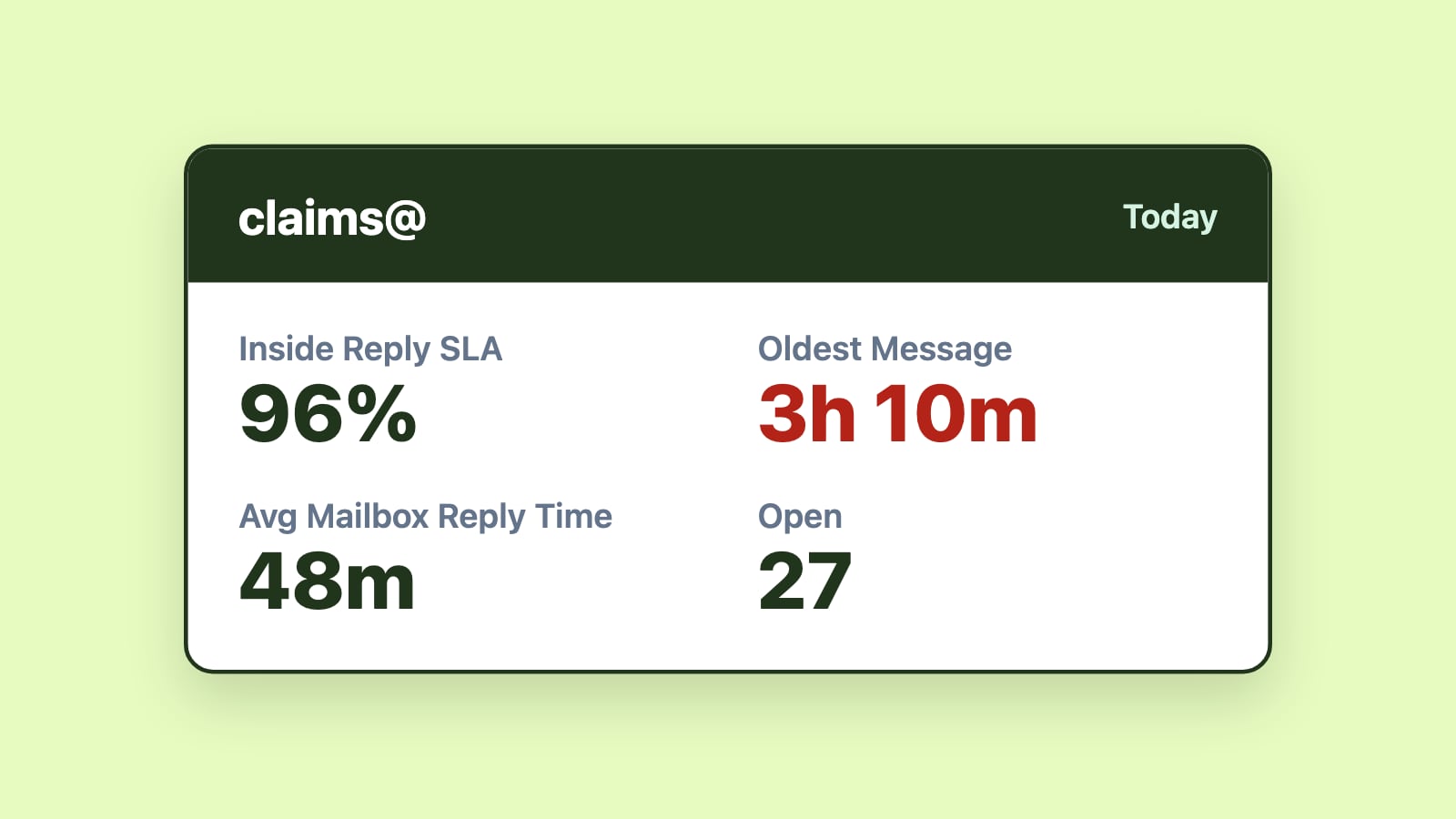
Best practices rarely scale without structural support. Purpose-built shared mailbox management tools add workflow logic where native email platforms stop. Automated assignment establishes ownership immediately. Routing rules get messages to the right person without manual triage. SLA alerts notify managers as soon as a response target is missed, and dashboards show which emails are waiting longest. Reports reveal trends that would otherwise remain anecdotal.
For Microsoft 365 teams, this works best when the signals appear directly inside Outlook, alongside the messages themselves, so nobody has to switch tools to see what needs attention. A data-driven approach to SLAs then lets teams fix the causes of delay instead of reacting to breach reports.
Emailgistics is a Microsoft 365-native shared mailbox management platform that automates email assignment, routing, SLA alerts and reporting inside Outlook. It makes ownership, wait times and SLA performance visible without moving teams out of their familiar environment.
Conclusion
Shared mailbox SLAs rarely fail abruptly. They deteriorate through delayed ownership, increasing variability, hidden backlog and workload imbalance. By the time a breach is recorded, the structural issue has often been present for some time.
Preventing breaches means watching the warning signs (time to ownership, the spread of wait times, backlog that carries over and workload concentration) and designing the workflow so timely response is the default: an owner for every email, visible wait times, balanced workloads and alerts as soon as a target is missed. SLA compliance is often viewed as a defensive necessity, but consistent responsiveness is also a competitive advantage. Customers experience reliability, teams experience clarity, and performance discussions shift from blame to improvement.